Logitech Unifying Software Complete Download and Setup Guide
 admin
admin
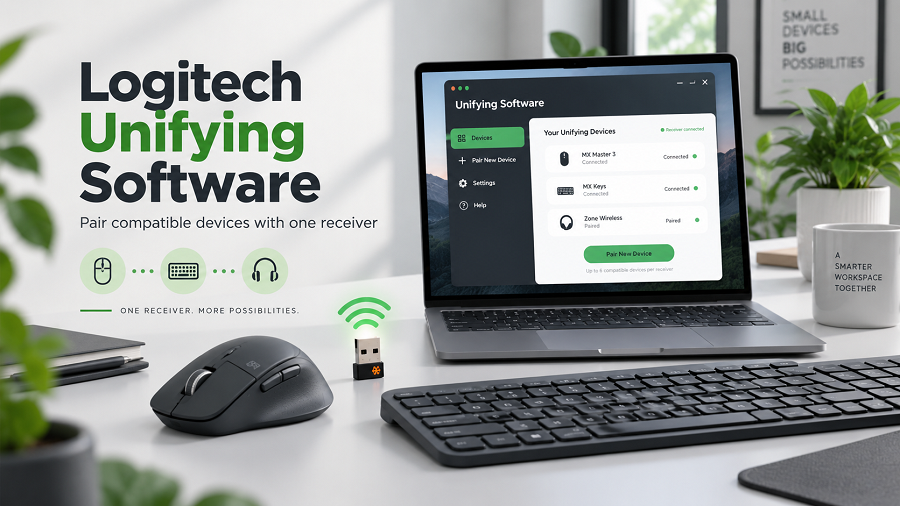
Logitech Unifying Software is a desktop application that helps users connect and manage compatible Logitech wireless devices via a Logitech Unifying Receiver.
The Unifying Receiver is a small USB device that allows multiple Logitech wireless keyboards and mice to communicate with a computer using a single USB port.
Instead of using separate receivers for each accessory, users can connect several compatible Logitech devices to one receiver. This makes the setup cleaner and more convenient, especially for users with multiple wireless peripherals.
The software provides an easy way to:
- Add new Logitech devices.
- Remove connected devices
- Pair keyboards and mice
- Troubleshoot connection issues
- Manage wireless accessories
For users searching for Logitech Unifying Software, the main purpose is usually to reconnect a Logitech mouse or keyboard after replacing batteries, changing computers, or losing the original connection.
Why Use Logitech Unifying Software?
Modern computer setups often include multiple wireless accessories. Managing different USB receivers can quickly become inconvenient.
Logitech developed the Unifying system to simplify wireless device management.
Connect Multiple Devices With One Receiver
One of the biggest advantages of Logitech Unifying technology is the ability to connect multiple compatible devices to a single USB receiver.
For example, users may connect:
- A Logitech wireless keyboard
- A Logitech wireless mouse
- Additional compatible accessories
This helps save USB ports and keeps workspaces organized.
Easy Device Replacement
If a Logitech wireless mouse or keyboard stops connecting, the software allows users to pair the device again without replacing the receiver.
This is useful when:
- A receiver is lost
- A new device is purchased.
- A device needs to be reconnected.
Simple Setup Process
Unlike complicated hardware configurations, Logitech Unifying Software uses a guided pairing process.
Users do not need advanced technical knowledge to connect supported devices.
Logitech Unifying Receiver Explained
The Logitech Unifying Receiver is a small USB wireless receiver with an orange star-like symbol.
It uses Logitech’s proprietary 2.4 GHz wireless technology to communicate with compatible devices.
A single receiver can support multiple compatible Logitech peripherals.
However, compatibility is important. Not every Logitech wireless product works with the Unifying Receiver.
Users should check whether their keyboard or mouse supports the Unifying logo before attempting to connect it.
Logitech Unifying Software Download
The safest way to download Logitech Unifying Software is through official Logitech support pages.
Downloading from unofficial websites can create risks, including:
- Modified software files
- Malware infections
- Outdated versions
- Installation problems
Before downloading, users should confirm:
- Their operating system
- Device compatibility
- Receiver type
The software is available for supported Windows and macOS systems.
How to Download Logitech Unifying Software
Follow these general steps to get the software:
Visit Logitech Support
Go to Logitech’s official support website and search for Unifying Software.
Select Your Operating System
Choose the correct version for your computer.
Supported platforms may vary by software release.
Download the Installer
Download the installation file and save it on your computer.
Install the Software
Open the installer and follow the setup instructions.
After installation, launch Logitech Unifying Software to begin pairing devices.
How to Install Logitech Unifying Software
Installing the software is usually straightforward.
Windows Installation
Open the downloaded setup file.
Accept the license agreement.
Follow the installation instructions.
Launch the program after installation.
macOS Installation
Open the downloaded installer package.
Follow the setup instructions.
Allow necessary permissions if requested.
Open the application.
After installation, connect your Unifying Receiver to a USB port.
How to Pair a Logitech Mouse or Keyboard
Once Logitech Unifying Software is installed, users can pair their devices.
Follow these steps:
Insert the Logitech Unifying Receiver into a USB port.
Open Logitech Unifying Software.
Select the option to connect a new device.
Turn on the Logitech keyboard or mouse.
Follow the on-screen instructions.
Test the device connection.
After successful pairing, the device should work normally.
Supported Logitech Devices
Logitech Unifying Software works with many Logitech wireless products that include Unifying technology.
Examples include:
| Wireless Mouse | Compatible Logitech Unifying mice |
| Wireless Keyboard | Compatible Logitech Unifying keyboards |
| Combo Sets | Keyboard and mouse bundles using Unifying Receiver |
Not all Logitech wireless devices support this technology.
Newer Logitech products may use different systems, such as Logi Bolt.
Logitech Unifying Software vs Logitech Options+
Many users confuse Logitech Unifying Software with Logitech Options+.
Although both are Logitech applications, they serve different purposes.
| Main Purpose | Device pairing | Device customization |
| Receiver Management | Yes | Limited depending on device |
| Button Customization | No | Yes |
| Supported Products | Older Unifying devices | Newer Logitech devices |
| Settings Control | Basic connection | Advanced customization |
Logitech Options+ allows users to customize buttons, gestures, and device settings on supported products.
Common Logitech Unifying Software Problems
Users may experience connection problems after installation.
Device Not Detected
Possible solutions:
- Check the USB receiver connection.
- Replace device batteries
- Restart the software
- Move the receiver closer to the device.
Receiver Not Working
Try:
- Using another USB port
- Restarting the computer
- Checking receiver compatibility
- Installing the latest Logitech software
Keyboard or Mouse Will Not Pair
Make sure:
- The device supports Unifying technology.
- The power switch is turned on.
- Batteries are properly installed.
- No other receiver is interfering.
Is Logitech Unifying Software Still Useful?
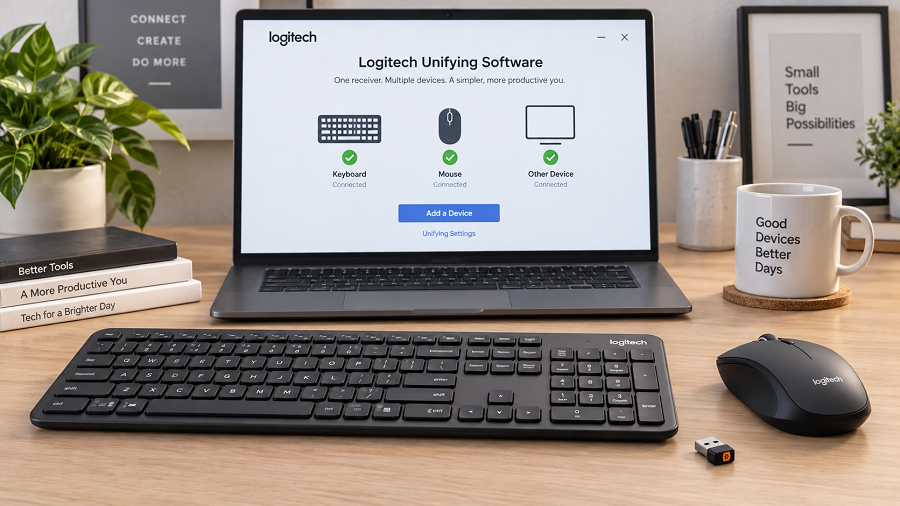
Yes, Logitech Unifying Software remains useful for users who own compatible Logitech devices.
However, Logitech has introduced newer wireless technologies for recent products.
For example, some newer business-focused devices use Logi Bolt, which provides updated security and connectivity features.
Users should identify their device technology before choosing the correct software.
Benefits of Logitech Wireless Technology
Logitech wireless devices are popular because they provide:
Cleaner Workspaces
Wireless accessories reduce cable clutter.
Better Portability
Users can easily move keyboards and mice between locations.
Multiple Device Support
Compatible receivers allow users to manage multiple accessories.
Reliable Connection
Logitech wireless systems are designed for everyday computer use, including office work and productivity tasks.
Who Should Use Logitech Unifying Software?
Logitech Unifying Software is useful for:
- Office users with Logitech wireless accessories
- Students using wireless keyboards and mice
- Remote workers
- Businesses managing multiple Logitech devices
- Users replacing lost receivers
It is especially valuable for people who already own older Logitech devices that support Unifying.
Authoritative External Sources
Logitech Official Support
https://support.logi.com
https://support.logi.com
Logitech Unifying Software Information
https://support.logi.com/hc
https://support.logi.com/hc
Logitech Options+ Software
https://www.logitech.com/software/logi-options-plus.html
https://www.logitech.com/software/logi-options-plus.html
Logitech Product Support Resources
https://www.logitech.com/support
https://www.logitech.com/support
Image Suggestions
Image
Alt Text: Logitech Unifying Software interface showing wireless device pairing setup
Caption: Logitech Unifying Software helps users connect compatible Logitech wireless keyboards and mice.
Image
Alt Text: Logitech Unifying Receiver connected to a laptop USB port
Caption: A Logitech Unifying Receiver allows multiple compatible wireless devices to connect through one USB port.
FAQs
What is Logitech Unifying Software used for?
Logitech Unifying Software is used to pair and manage compatible Logitech wireless keyboards, mice, and other accessories connected through a Unifying Receiver.
Is Logitech Unifying Software free?
Yes. Logitech provides the Unifying Software free for users with compatible Logitech devices.
Can one Logitech Unifying Receiver connect multiple devices?
Yes. A single Unifying Receiver can connect multiple compatible Logitech wireless devices.
Does every Logitech mouse work with Unifying Software?
No. Only Logitech devices that support Unifying technology can be connected using this software.
What is the difference between Logitech Unifying and Logi Bolt?
Logitech Unifying is an older wireless receiver technology, while Logi Bolt is a newer platform used in many recent Logitech products.
Why is my Logitech device not connecting?
Common causes include low battery, receiver issues, compatibility problems, or incorrect pairing. Reinstalling the software and pairing the device again may help.
Conclusion
Logitech Unifying Software remains an important tool for users who own compatible Logitech wireless keyboards, mice, and accessories. It provides a simple way to connect multiple devices to a single receiver and to solve common pairing problems.
Although newer Logitech products may use updated technologies such as Logi Bolt, Logitech’s Unifying Software remains valuable for many existing Logitech users.
For the best experience, always download software from official Logitech sources, verify device compatibility, and keep your drivers and software up to date. A correct setup ensures reliable wireless performance and a cleaner, more efficient workspace.

Related Posts